A celebration of Geek and Nerd culture from the 1800s through the 1990s. A testament to the technology of the past and it's role in shaping the present.
Geeky Through The Ages is updated a minimum of two times a week, but probably much more often.
In a stunning and, if I may say, terribly interesting move College journalists from Florida Atlantic University have produced an entire issue of their newspaper the 'old fashioned' way.
The whole thing has a very Don Drapper/Mad Men feel to it, which is a Good Thing.
They typed on typewriters, took photos on film (which they developed in house), cut and pasted with scissors and glue, and made plates by hand.
I can't tell if they are crazy or brilliant. I want to try it. (Hit the link for the full story.)
A new indie film, from local movie house modest conspiracy films, Disney Shot Kennedy will be screened this Friday (August 27th) at 8:30 PM at The Eyedrum in Atlanta as part of the Atlanta Underground Film Festival.
Everyone's favorite record store proprietor, Jim, plays a long haired man with a gun. It looks to be a fun event, and I hope to see everyone there!
Tickets are $8 at the door, and go on sale 30 minutes before the movie starts.
You can find more information about the event here.
I plan on ordering some at some point in the near future. Even if I never do anything with them, Ostrich Legos have to be one of the coolest inventions ever.
I am continually amazed at the inconsistencies of our modern society. I look around and I am confused. The things that people spend money on, the values that we assign to things.
The laptop pictured at the left cost $100. It isn't a great laptop by today's standards, but it is comparable to $2500 computers from 10 years ago.
That is to say, it will do everything you need it to do, slowly.
The other device featured in this post is called a Wiki-Reader. Designed for people who want Wikipedia but don't want, or can't afford, the internet. The concept initially struck me as ludicrous: Wikipedia is fluid, dynamic, changing; that's what makes it great. But it is also a fantastic, if often inaccurate, resource and access to it shouldn't be limited to those who pay their monthly fee to access the internet. I realized that the wiki-reader is probably as close to a Hitchhiker's Guide to the Galaxy as we will ever see in my lifetime.
Let that sink in, for the cost of a pair of jeans and a T-shirt from Abercrombie and Fitch you could have access to the wealth of uses afforded by a computer, or the cornucopia of information that the Wiki-Reader provides.
Knowledge - Communication - Music - Jeans - Same price across the board.
It is targeted at the developing world, but they will ship it anywhere. I can see uses for such a machine in nearly any community. It's size and price would make it a great first computer for children, it's portability makes it great for people on the go. I have considered getting a machine like this to replace my 200LX, though it is still a bit larger than I would like.
The fact that it isn't running windows is seen as an issue by many consumers. The only real issue is that Linux tech support is not going to be found a Geek Squad. That being said, the kinds of things Geek Squad fixes tend not to go wrong on a Linux machine.
Be aware that the africa running 'Windows' is actually running the version of windows used for cellphones. It is a much less robust operating system than the (cheaper) linux. I wouldn't buy that or any other machine running 'windows mobile' or 'windows ce.' (The 'bing' laptop appears to be running windows XP, though it is far from the cheapest XP laptop available.)
The Wiki-Reader
Specifications are less important for the Wiki-Reader. It reads Wikipedia, it has three buttons, it has a touch screen. It costs $100. If you pay an extra few dollars a year they will mail updates to your door. The one feature that would seem to matter most, battery life, is amazing. They are claiming the device can run 15 minutes a day for 365 days on 2 AAA batteries.
This video sums things up nicely:
I want to get one for my grandmother, though I fear the screen might be a bit small. I'll probably end up building something for her. For the price, and ease of use, it actually seems like a pretty neat little device. I think a parent could do far worse than giving their kids something like this.
Even though the price tag of $100 is well outside the 'impulse buy' zone for most of us, it is hard to argue that the value brought to the table by the wiki-reader or the cherypal laptop seems to far outweigh the value of a pair of jeans, or a night at the cheesecake factory.
What a world we live in. Cherypal Wikireader Note: I've never ordered from either of the companies listed. In my research I found that the reviews for both were commonly favorable, with very few complaints.
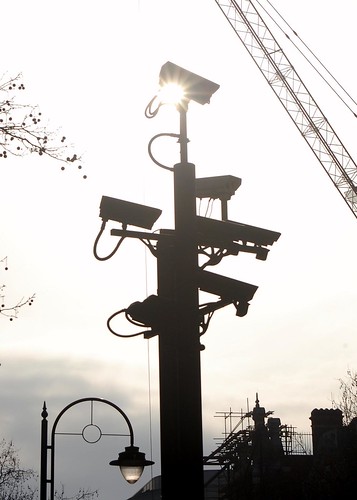
Image by jordi.martorell I do a lot of work with local businesses. I design websites, install point of sale systems, and do computer repair. Several weeks ago a local business owner who I've worked with in the past approached me with a computer that was refusing to boot. He needed it back quickly, as this PC controlled his CCTV.
"I had someone look at it, and they said the power supply was bad" he said to me. Normally I would run the system through its paces and test it throughly before I returned it. This machine, however, was the controller for his security cameras. He need it back quickly, so I replaced the power supply. I turned it on, watched it boot, shut it down and returned it.
Long story short, two days later I have the same computer sitting in front of me. The power supply is fine, but the motherboard is shot. I've got a week to build a CCTV system as cheaply as I can. Hardware is easy, generic (linux compatible) capture card, new motherboard/processor 1GB ram, 2 HDs.
Software was a little less easy. I was unfamiliar with the whole scene, but it was highly recommended to me that I try Zoneminder. So I installed Xubuntu, downloaded and installed all the codecs that Zoneminder requires, and installed zoneminder and XawTV. None of this was anything out of the ordinary. I had to follow some basic set-up instructions as detailed here.
Everything appeared to be working. I took the machine back to the shop, plugged it in and started Zoneminder. I pulled up a firefox window and was able to get video feed for 4 of his 13 cameras. Things are going much more smoothly than normal, and 4 cameras is much better than no cameras. But as a long term solution 4 just isn't enough!
I was confused, I expect all the cameras to show up. The card billed itself as having 16 inputs through a special dongle. It turns out that the card has 4 chips that support 4 channels each, for a total of 16 multiplexed channels. Apparently this is the common way for capture cards to be built.
So each of the digitizers, the chips on the card, appears as a separate device to the computer. I can pull 1 frame at a time off of four cameras. Then I 'change the channel' so to speak, and pull 1 frame off of four more cards, repeating this until all the cameras are accounted for. This means that I'm pulling down 3-5 FPS off of each camera.
As I've never done this before, I still had a hard time figuring out exactly what was going on. I used the wonderful XawTV to figure out which channels on which devices lined up to which camera. Within minutes I had the software recording live feeds. With a little more configuration, I had each camera recording while the store was open, and running motion detection when the store was closed. If a movement was detected, the camera would start recording, and even send out an email!
All in all it has been a rewarding and interesting experience. and I've discovered that a security camera system can be set up cheaply and quickly. A basic set up, with 1-2 cameras shouldn't cost more than $400! I look forward to the opportunity to set up some more!
 In a stunning and, if I may say, terribly interesting move College journalists from Florida Atlantic University have produced an entire issue of their newspaper the 'old fashioned' way.